 ShareAnyFiles
Share files with any phone or computer nearby.
Send photos, videos and documents between Android, iPhone, Windows and Mac. No cables, no internet, and nothing to install on the other device.
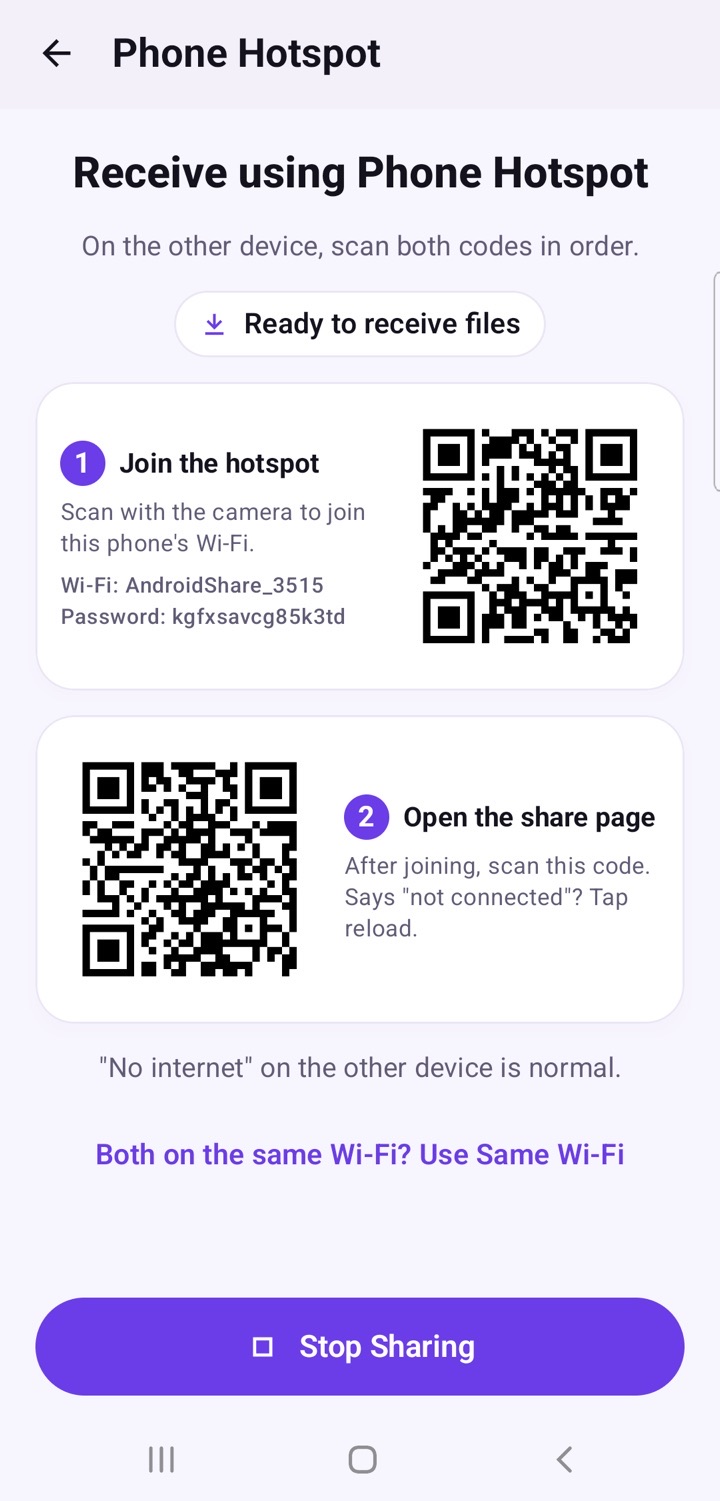
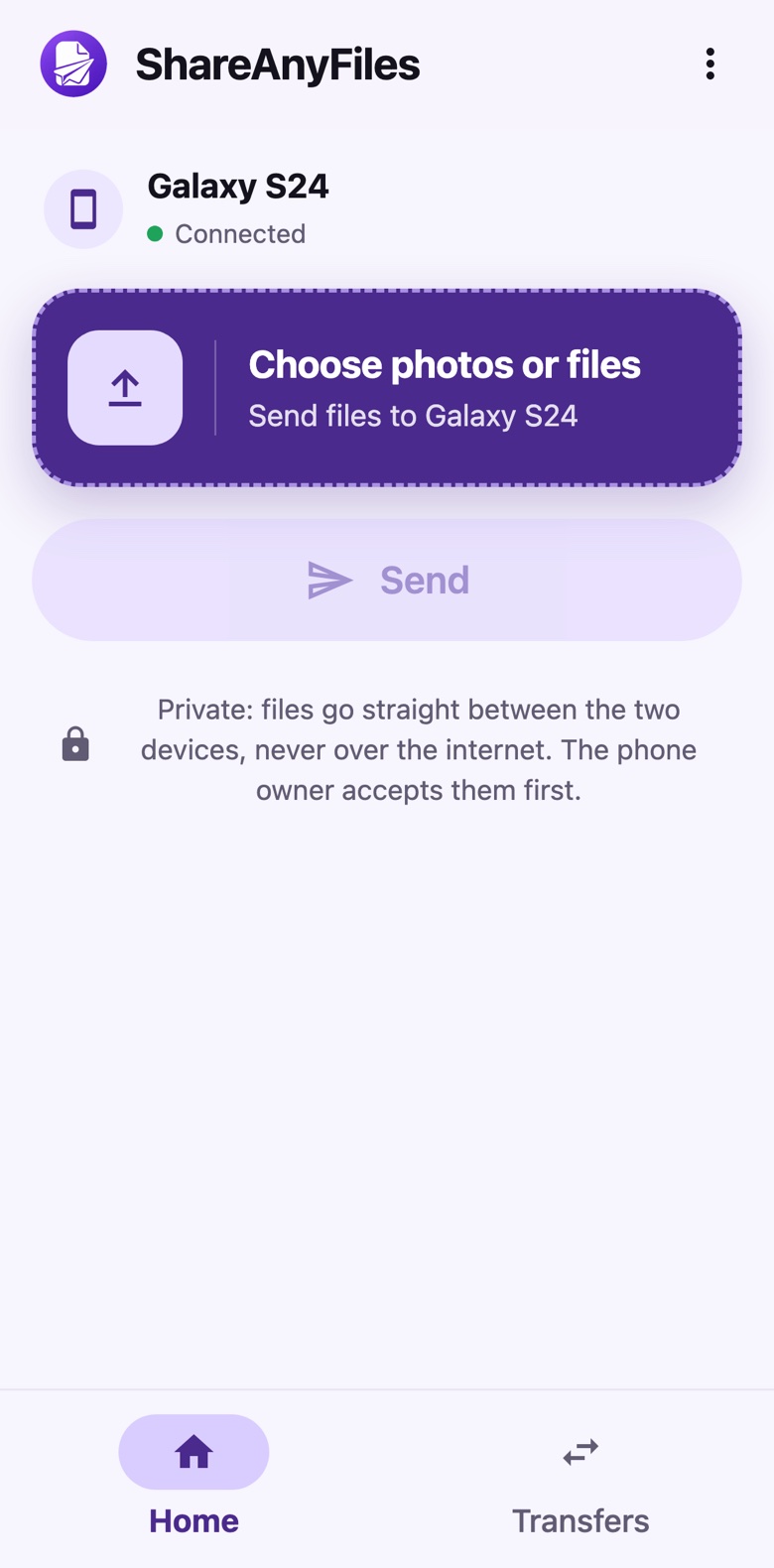
Three steps. No cables.
Your phone makes the connection. The other device just scans a code.
Tap Share or Receive
Open ShareAnyFiles and choose Phone Hotspot (works anywhere) or Same Wi-Fi.
On your phoneScan the QR code
On the other device, open the camera and scan the code on your screen. The share page opens in its browser.
On the other deviceSend and accept
Pick your files and send. Nothing is saved until the person receiving taps Accept.
DoneSimple for everyone. Private by design.
No internet needed
Your phone creates its own Wi-Fi, so sharing works anywhere: on a train, in a village, or with no mobile data.
Nothing to install
The other device only needs its camera and browser. Perfect for sharing with friends and family on iPhone.
Private
No accounts, no ads and no tracking. Files go straight from one device to the other, never through the cloud.
You decide
You always see who is sending, how many files and how big they are. Nothing is saved until you tap Accept.
Fast, local transfer
Files move over Wi-Fi between the two devices, so there's no upload and no waiting for the cloud.
Any kind of file
Photos, videos, music, PDFs, documents and more. Received files are saved neatly in a ShareAnyFiles folder.
Works with the devices you already have
Install the app on your Android phone. Everyone else just scans a code.
Android app
The ShareAnyFiles app starts the connection and shows the QR codes. Android 10 or newer.
Coming soon to Play StoreiPhone & iPad
No app needed. Scan the code with the Camera, and the share page opens in Safari.
Works todayOther Android phones
Scan with the camera or Google Lens, and the share page opens in Chrome.
Works todayWindows & Mac
On the same Wi-Fi, type the short link from your phone into any browser. Desktop apps are on the way.
Works in your browserYour files never touch the internet.
ShareAnyFiles doesn't collect, store or send any of your information. Not to us, not to anyone.
- No accounts or sign-in
- No ads, analytics or tracking
- Nothing saved until you tap Accept
- Sharing turns off by itself after 10 quiet minutes
Questions, answered
Is ShareAnyFiles free?
Yes. It's free to use, with no ads and no account.
Do I need internet or mobile data?
No. With Phone Hotspot, your phone makes its own small Wi-Fi network and the files travel directly between the two devices. With Same Wi-Fi, both devices use the Wi-Fi you're already on.
Does the other person need to install anything?
No. Only your Android phone needs the app. The other device scans a QR code with its camera and uses its normal web browser.
Is it safe?
Files go straight from one device to the other and never pass through our servers or the cloud. Each sharing session uses a new private link and a new hotspot password, and nothing is saved on your phone until you tap Accept. On public Wi-Fi, use Phone Hotspot for the most privacy.
The other phone says "No internet". Is something wrong?
No, that's normal. The connection is only between the two devices, so there's no internet on it. Sharing works anyway.
The page says "not connected". What should I do?
Wait a second and tap the browser's reload button. Right after joining the hotspot, the other phone sometimes needs a moment before it opens the page.
Where are received files saved?
In a ShareAnyFiles folder inside Pictures, Movies, Music or Download, depending on the type of file. Photos and videos also show up in your Gallery.
Which phones does it work on?
The app needs Android 10 or newer. The other device can be almost anything with a camera or a web browser: iPhone, iPad, Android, Windows, Mac or Chromebook.